
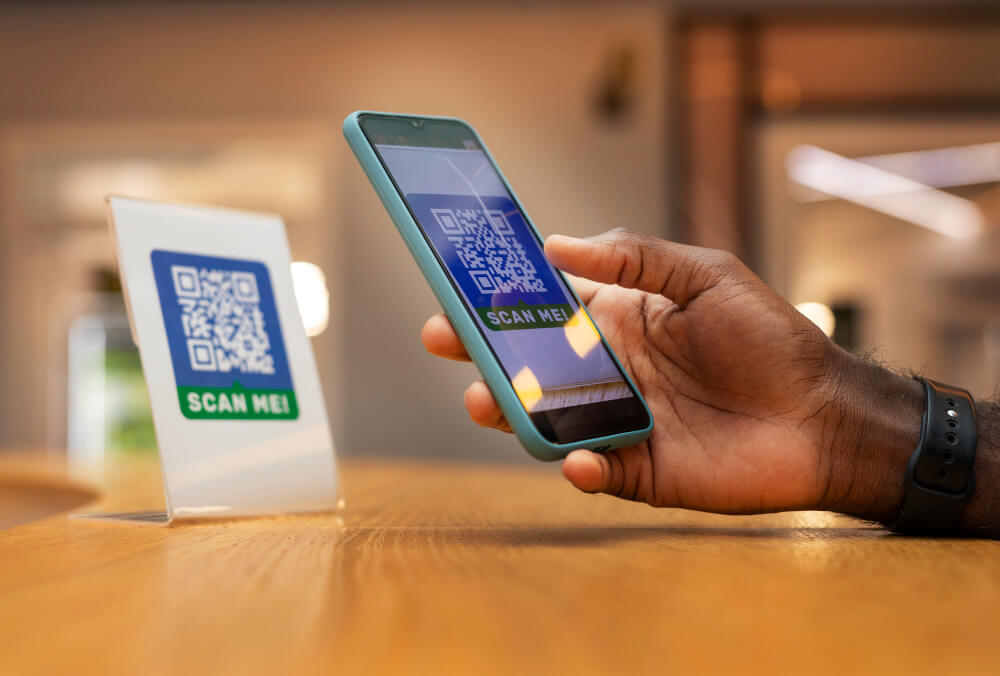
Cybercriminals have become increasingly interested in that small gap between recognition and verification. QR codes are now being incorporated into phishing campaigns designed to steal credentials, collect financial information, deliver malicious content, and move attacks from protected computers onto personal phones.
Microsoft's threat data shows how quickly the technique is growing. QR-code phishing increased from 7.6 million attacks in January 2026 to 18.7 million in March, a 146% increase during the first quarter. By March, Microsoft was seeing its highest monthly volume of QR-code phishing in at least a year.
The QR code itself hasn't suddenly become dangerous. What has changed is how effectively attackers are using something familiar to disguise where they want people to go.
Traditional phishing gives the recipient several opportunities to notice that something is wrong. A link may contain a misspelled company name, an unfamiliar domain, or an address that bears little resemblance to the organization supposedly sending the message. People have spent years being told to inspect links before clicking them.
A QR code makes that advice harder to follow because the web address is encoded inside the image.
That characteristic is useful for legitimate reasons. A restaurant doesn't need to print a long web address beneath every table, and a parking operator can direct customers straight to the appropriate payment page. The same convenience gives a phishing campaign room to conceal its destination until someone scans the code.
For attackers targeting businesses, there is another advantage. Microsoft says QR codes are being used to move victims from email onto mobile devices, where the protections surrounding a corporate inbox or managed computer may no longer have the same visibility. During the first quarter of 2026, PDF attachments were the most common delivery method Microsoft observed, accounting for 70% of QR-code phishing attacks by March. QR codes placed directly inside email messages also increased sharply during the month.
The attack has effectively crossed from one device to another. The suspicious message may arrive on a computer, but the phishing page opens on the phone used to scan it.
There is an important distinction that often disappears when QR-code attacks are discussed: scanning a malicious QR code does not automatically mean that a phone has been compromised.
In many phishing campaigns, the code is simply another way to deliver a web address. The real attempt to steal information begins on the page that opens afterward.
That page may imitate a Microsoft 365 login, a bank, a delivery company, a payment portal, or another service the recipient recognizes. If the imitation is convincing, someone may enter a username and password without realizing those credentials are being sent somewhere else.
Attackers have also added intermediate steps that make the experience appear more credible. Microsoft has observed phishing operations placing CAPTCHA-style verification pages between the initial link and the malicious destination. To the person scanning the code, completing a familiar "prove you're human" step can make the process feel more legitimate. To the attacker, that additional interaction can also interfere with automated systems trying to inspect the destination.
This is why deciding whether a QR code is trustworthy cannot end with asking whether the code itself looks suspicious. Visually, a malicious QR code can look exactly like a legitimate one. The destination and the request being made after the scan deserve more attention.
Email is an obvious place to deliver a malicious QR code, but recent campaigns show that attackers are becoming more creative about the context surrounding it.
In May 2026, Mimecast researchers uncovered a phishing campaign that embedded QR codes inside calendar invitation attachments. The calendar files were deliberately malformed in a way that interfered with automated tools attempting to extract and analyze the codes, while still allowing the recipient to encounter the invitation. Mimecast identified approximately 43,000 emails in one month associated with the technique.
The campaign is notable because a calendar invitation carries a different expectation than an unsolicited email. Meetings, company policies, training notices, and event invitations are ordinary parts of a workday. A QR code presented inside that context may receive less scrutiny than the same code appearing in an obviously unusual message.
The underlying strategy is not particularly technical from the victim's perspective. Put the request somewhere it seems to belong, give the recipient a plausible reason to scan, and allow familiarity to do part of the work.
That strategy is equally effective outside the workplace.
In April, the Federal Trade Commission warned about text messages containing what appeared to be official traffic-violation notices. The messages included supposed case numbers and hearing information, then presented recipients with a QR code to resolve an unpaid balance.
The notices were fraudulent. According to the FTC, scammers were using the codes in attempts to obtain personal or financial information, steal money, or deliver malware. The messages also threatened additional fines and enforcement action, giving recipients a reason to respond before taking the time to verify whether the violation existed.
More recently, the FTC described another setting where an unexpected QR code may appear: inside a package you never ordered. Some brushing scams involve inexpensive, unsolicited products sent to a person's real name and address. A note inside may contain a QR code supposedly allowing the recipient to identify the sender or arrange a return. Instead, the destination may be a phishing site built to collect account credentials or payment information.
There have also been reports of fraudulent QR-code stickers being placed over legitimate codes on parking meters. In that situation, the physical location itself supplies credibility. You are standing beside a parking meter and need to pay for parking, so a payment QR code attached to the meter seems entirely appropriate.
These examples look different on the surface, but they rely on the same decision: convincing someone that scanning the code is the natural next step.
There is little value in trying to identify a malicious QR code by looking at its pattern. Instead, consider why the code is in front of you and what the person or organization behind it is asking you to do.
An unexpected message telling you to scan a code to prevent an account from being suspended deserves verification. So does a supposed government notice demanding immediate payment, an unfamiliar calendar invitation requesting authentication, or a sticker that appears to have been placed over another code.
When there is another way to reach the service, use it.
If the message claims there is a problem with your bank account, open the bank's application or visit the website you normally use. If it concerns a government agency or court, find its official contact information independently. If a workplace message asks you to authenticate through a QR code and the request is unusual, confirm it through the appropriate internal channel.
This separates the claim from the mechanism the sender wants you to use. A scammer may control the QR code, the page it opens, and every phone number or link included in the original message. They do not control the organization's legitimate website or the contact information you already trust.
Phones generally display a destination or link preview before opening a QR code. That preview is one of the few opportunities to inspect where the code is actually trying to send you.
Pay attention to the domain rather than relying on the appearance of the page that follows. A fraudulent site can reproduce logos, colors, sign-in forms, and other visual elements from a legitimate service with considerable accuracy.
Be particularly careful when the page reached through a QR code asks for a password, payment information, Social Security number, multifactor authentication code, or software download. Those requests carry enough consequence that verifying the destination is worth the additional time.
A QR code should not receive more trust than an ordinary link simply because the web address was hidden until you scanned it.
What you should do next depends on what happened after the scan.
If you scanned a code, looked at the resulting page, recognized something was wrong, and closed it without entering information or downloading anything, the situation is different from one in which credentials or financial information were submitted.
If you entered a password on a site you now believe was fraudulent, change that password through the legitimate service rather than returning to the page you scanned. Any other account using the same password should be addressed as well. Review recent account activity and authentication settings for anything you do not recognize.
Financial information requires a different response. Contact the bank or card issuer through its established customer-service channel and explain what information was provided. If the QR code resulted in a download or installation, or if the device begins behaving unexpectedly afterward, the device itself may need to be examined.
There can also be cases where it isn't obvious what occurred. Someone may remember scanning the code but not the address that opened, whether a file downloaded, or exactly what information was entered. RC Systems & Support can help customers work through that uncertainty, review what happened, and determine which response is appropriate rather than treating every scan as a compromise or dismissing a potentially meaningful warning sign.
None of this makes QR codes inherently untrustworthy. They remain an efficient bridge between something in front of us and information stored online, which is why they have become so common in the first place.
Their weakness is not the technology itself but the amount of trust we sometimes give it without seeing the destination. The sharp increase in QR-code phishing during 2026 suggests attackers understand that behavior and are becoming better at surrounding malicious codes with credible-looking reasons to scan them.
A restaurant menu, parking meter, calendar invitation, account notice, unexpected package, and government-looking text message can all contain the same familiar square image. What separates a legitimate interaction from a fraudulent one is rarely something visible in the QR pattern.
The more useful question is what waits on the other side—and whether you have a reason to trust the person asking you to go there.




.avif)
.avif)