
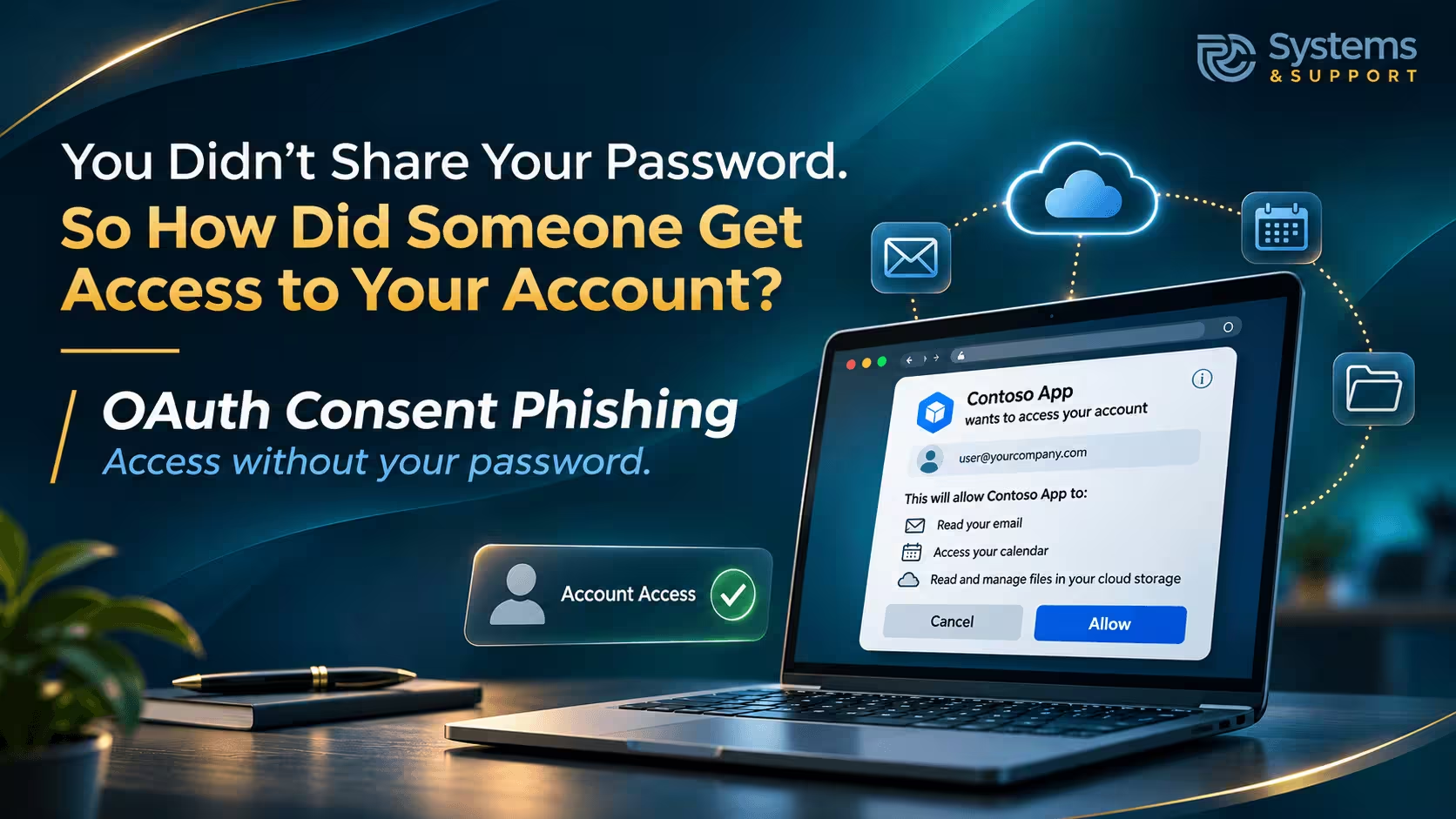
You select "Allow" and continue with your day.
What you may not realize is that this simple approval can sometimes give another application access to your email, files, contacts, or other information without anyone stealing your password. The application may continue using that access after you close the browser, leave the website, or change your password. It's a different kind of cybersecurity risk, and one that doesn't always resemble the suspicious emails or fake login pages people have learned to recognize.
In September 2026, the FBI issued a warning about this technique, known as OAuth consent phishing. The name sounds technical, but the underlying issue is straightforward: criminals are finding ways to convince people to grant access to their accounts voluntarily, often through permission screens hosted by legitimate technology providers.
On September 1, 2026, the FBI's Internet Crime Complaint Center published a public service announcement describing campaigns in which malicious actors used consent phishing to gain access to victims' accounts.
According to the FBI advisory, the observed activity began in late 2025 and involved targeting prominent individuals, their family members, and personal acquaintances. Attackers used direct messages, impersonated recognizable people, and presented requests that appeared to involve file sharing, invitations, or identity verification. Their objective was to get recipients to authorize applications that the attackers controlled.
The FBI's warning concerned specifically targeted campaigns, not evidence that every Google or Microsoft user was being attacked. Nevertheless, the technique matters to ordinary consumers and businesses because it takes advantage of a feature millions of people use regularly: allowing one online service to connect to another.
Modern accounts are designed to work with outside applications. A calendar service may connect to an email account, a scheduling application may access a work calendar, and a document management tool may request access to cloud storage. These connections make everyday technology more useful, but they also create decisions about what information an application should be permitted to see or change.
The problem begins when the application requesting access is not who it claims to be.
The technology behind many of these connections is called OAuth. It allows an application to request specific access to another service without requiring you to hand over your password directly.
For example, imagine using a legitimate scheduling tool that connects with Google Calendar. Rather than asking you to type your Google password into the scheduling tool itself, the application may redirect you to Google. You sign in through Google's system, review the requested permissions, and approve the connection.
The scheduling tool then receives authorization to perform certain functions associated with your account. Depending on the permissions involved, that might include viewing calendar events or making changes to your schedule.
This is a useful security design because the outside application does not need to store your Google password. It receives a form of authorization that is limited by the permissions you grant.
However, the same process can be misused.
A criminal can create an application with a convincing name, configure it to request access to account information, and send someone a link that starts the authorization process. The person may see a genuine sign-in page belonging to a trusted provider, followed by a real permission request.
If the person approves the request, the malicious application can receive authorization to access whatever information the approved permissions allow.
The attacker may never learn the account password. Instead, the attacker benefits from the access that the account owner has granted.
One reason consent phishing can be difficult to recognize is that parts of the process may be completely authentic.
People are often taught to look for fake websites, misspelled addresses, poor formatting, and unusual login screens. Those are still useful warning signs, but they are not sufficient for identifying every kind of account-related scam.
In a consent phishing attempt, the authorization screen may actually belong to Google, Microsoft, or another legitimate service. The problem is not necessarily the website hosting the request. It is the identity and intentions of the application asking for access.
Consider a message claiming that a document has been shared with you. The link takes you through a familiar sign-in experience, but before the file opens, a separate application requests permission to read your email or access files in your cloud storage.
That request deserves attention. Opening a shared document does not ordinarily require granting an unfamiliar application broad access to your unrelated personal information.
The important question becomes less about whether the sign-in screen looks professional and more about whether the application genuinely needs the permissions it is requesting.
Microsoft's guidance on consent phishing explains that attackers can use misleading application names and legitimate authorization systems to persuade people to grant access. A familiar-looking application name is therefore not enough to establish trust.
Not every connected application receives the same level of access. Some applications request only basic information, such as your name and email address. Others may request permission to read files, view contacts, access calendars, or interact with email.
That distinction is important because the consequences depend on the specific permissions involved.
An application that has permission to read certain files could potentially access information stored in those locations. An application approved to read email may be able to examine messages containing account notifications, business discussions, receipts, or other sensitive details. If permission to send messages has also been granted, the application may be able to send email on the user's behalf.
For a family, this could expose personal correspondence, documents, or information about other household members. For a small business, the same kind of access might reveal customer communications, financial paperwork, employee records, or conversations with vendors.
It's also worth recognizing that an application doesn't necessarily need permission to control an entire account to create problems. Access to one collection of documents or one mailbox may be enough to expose information that should have remained private.
This doesn't mean people should stop using connected applications. Many provide valuable functions and use established security practices. It means the permissions associated with those applications deserve the same attention people already give their passwords.
Perhaps the most important part of the FBI's warning is what can happen after someone realizes that a suspicious application was approved.
For many traditional account compromises, changing the password is an appropriate protective action. If criminals obtained a password, replacing it can help prevent them from signing in again with that credential.
Consent phishing works differently because the malicious application may already possess authorization to access information through the legitimate service.
The FBI specifically warned that changing a password does not, by itself, remove the malicious application's authorized access in the campaigns it described. The unwanted connection must be revoked through the account's application security settings.
This creates a situation that can be confusing for people who believe they have already secured their accounts. Someone may update a password, confirm that two-factor authentication is enabled, and assume the problem has been resolved, while the suspicious application remains connected.
Multi-factor authentication continues to be an important security measure. It helps protect accounts against unauthorized sign-ins. However, it cannot determine whether a person truly intended to authorize an application after successfully signing in.
That is why reviewing application permissions is a separate part of account security rather than a replacement for passwords, security alerts, or multi-factor authentication.
For small businesses, freelancers, and people who work from home, the distinction between personal and professional technology has become increasingly blurred.
A business owner may use a personal email account to communicate with vendors, a cloud storage account to maintain business documents, and several online tools to manage scheduling, billing, or customer relationships. These services may be connected to one another through permissions granted over several years.
A legitimate connection can improve efficiency. But it also means that an unnecessary or suspicious permission may expose information beyond the application in which the problem began.
Imagine a business owner receiving an invitation to review a proposal from someone claiming to be a potential client. The owner follows the link and approves an unfamiliar application believing that authorization is necessary to open the document. If the application has requested access to business email or stored files, information unrelated to the proposed project could become accessible.
That example illustrates a possible scenario, not a specific incident reported by the FBI. Its significance is that the damage may develop quietly. There may be no frozen computer, unusual popup, or obvious indication that account information is being accessed.
Employees who receive documents, review invitations, or collaborate with outside organizations face similar decisions. Businesses therefore benefit from making application permissions part of their normal security practices, rather than treating them as a technical setting that only an IT department needs to understand.
Consent phishing is one reason to review connected applications, but unfamiliar or unnecessary permissions can create concerns even when no deliberate attack has occurred.
Over time, people accumulate connections between services. An app used to plan a vacation may retain access to a calendar after the trip has ended. A document tool used for a short project may remain connected to cloud storage long after the work is complete. An experimental productivity service may continue appearing in an account's list of authorized applications despite being forgotten.
These connections aren't automatically dangerous. An unfamiliar name does not prove an application is malicious, and some background services have legitimate reasons to remain authorized.
Nevertheless, an account may eventually contain permissions that its owner no longer understands or needs.
Google allows users to review third-party applications connected to their accounts and examine what information has been shared. Microsoft provides similar management capabilities for supported personal and work accounts. These settings are useful because they make a normally invisible part of account security easier to inspect.
This is also why deleting an application from a phone or computer should not be confused with revoking its online account permissions. Removing software from a device does not necessarily terminate a previously authorized connection with a cloud service.
Reviewing permissions directly through the account provider offers a clearer picture of what remains connected.
The most useful warning sign is often the relationship between what an application claims to do and the information it wants to access.
A calendar application requesting calendar access may have a reasonable explanation. A file-sharing invitation that suddenly requires permission to read an entire email account deserves more scrutiny.
The same is true when an unfamiliar service requests broad file access, permission to send messages, or the ability to make changes unrelated to the task you intended to complete.
Context also matters. Was the invitation expected? Do you know the sender? Is the request coming from an established application, or were you directed to a new service through an unsolicited message?
Even if the sender's name is recognizable, an independent confirmation can help determine whether the request is genuine. Contacting the person through a phone number or messaging conversation you already trust is more reliable than simply replying through the suspicious request.
The FBI recommends examining unexpected communications carefully, independently verifying the sender, and granting authorization only to trusted applications.
People should also remember that "Sign in with Google" or "Sign in with Microsoft" does not always mean an application is requesting extensive access to account data. Some connections involve only authentication or basic profile information. The permission details, rather than the presence of a recognizable sign-in button, determine what information is actually being shared.
Most people don't need specialized cybersecurity software to begin reviewing applications that have access to their accounts. The major account providers offer settings for inspecting and managing these connections.
For Google accounts, the third-party connections page allows users to review applications linked to their accounts. Selecting a connection can reveal what access has been granted. Google also explains how users can remove permissions that are no longer needed.
For Microsoft work or school accounts, the My Apps portal provides application management options. Depending on the application's permissions and organizational settings, users may be able to revoke permissions themselves. Some connections are controlled by the organization's administrator and require assistance from IT personnel.
Personal Microsoft accounts have separate application consent management available through Microsoft's account permissions page.
The goal is not to remove every connected application. Doing so could interrupt legitimate services that depend on those connections. Instead, look for applications you no longer use, names you cannot identify, and permissions that seem excessive for the function being provided.
If a connection is unfamiliar, investigate before making assumptions. Some applications operate under technical names that differ from the product names users recognize.
A brief review every few months, or when making important changes to an account, can help prevent years of unnecessary connections from accumulating unnoticed.
If you believe you approved access for a malicious application, the priority is to stop that application's access and determine what information may have been exposed.
Begin by opening the account provider's security settings directly, rather than following another link from the original suspicious message. Find the connected application and revoke the permissions that were granted. If this is a work or school account, contact the organization's IT or security administrator, particularly if the connection cannot be removed through normal user settings.
Next, review recent account activity and any security notifications. Depending on which permissions were approved, it may also be appropriate to check email forwarding settings, sent messages, shared files, or other account activity for changes you did not authorize.
Changing your password may still be sensible if you also entered credentials on an unfamiliar website or suspect that the password was exposed. But do not treat a password change as a substitute for revoking unwanted application access.
Where sensitive business or financial information may have been involved, the situation may require additional investigation. An employer may need to assess whether customer information, internal documents, or communications were accessed. A consumer who notices suspicious financial activity should contact the relevant financial institution through its official channels.
The FBI also encourages people affected by the campaigns described in its advisory to report incidents through the Internet Crime Complaint Center and preserve relevant screenshots and messages.
The sooner unusual permissions are identified, the sooner the account owner or administrator can begin limiting further access.
Cybersecurity advice often concentrates on keeping outsiders from signing in. Strong passwords, multi-factor authentication, software updates, and cautious browsing remain important because they reduce many common risks.
But cloud accounts are more complicated than a single username and password. They can also include active sessions, authorized applications, connected services, shared files, account recovery options, and permissions granted to other people or systems.
Someone can maintain strong passwords and still make a poor decision about application access. Likewise, a business can have well-managed computers while overlooking the cloud applications employees have authorized.
This broader view helps explain why cybersecurity cannot rely entirely on a clean antivirus scan or the absence of visible problems. Approved cloud application access may not involve installing malicious software on a computer at all.
For families, regular reviews can become part of normal digital housekeeping, especially when different household members rely on shared services and connected accounts.
For businesses, establishing clear policies about approved applications and limiting unnecessary permissions can reduce the likelihood that one employee's approval exposes sensitive information.
The objective is not to eliminate useful technology connections. It is to understand which connections exist, why they are necessary, and who is responsible for managing them.
Not everyone has the time or technical experience to evaluate an application's permissions, especially when a request arrives during a busy workday or appears to come from someone familiar.
This is where practical support can help. RC Systems & Support assists individuals, families, and business users with everyday technology concerns, including suspicious messages, account-related questions, and security issues that aren't immediately clear.
Its Scam Verifier service also gives users a way to submit suspicious links, messages, or screenshots for review before responding or granting access.
The important point is that uncertainty does not require an immediate decision. Taking time to verify an unexpected request is usually more useful than approving access simply to continue with a task.
The FBI's warning highlights a shift in how account access can be misused. Criminals do not always need to steal a password or infect a computer when they can persuade someone to authorize an application that provides the access they want.
That doesn't make every permission request suspicious, and it doesn't mean people should avoid the convenience of connected services. It means account security deserves more attention at the moment access is requested, not only after a problem becomes visible.
Understanding which applications can access your information, reviewing connections you no longer need, and being cautious with unexpected authorization requests are manageable ways to reduce unnecessary risk.
The next time a familiar-looking screen asks you to allow an application into your account, the most important decision may not be whether you trust the website.
It may be whether you trust the application requesting permission.