
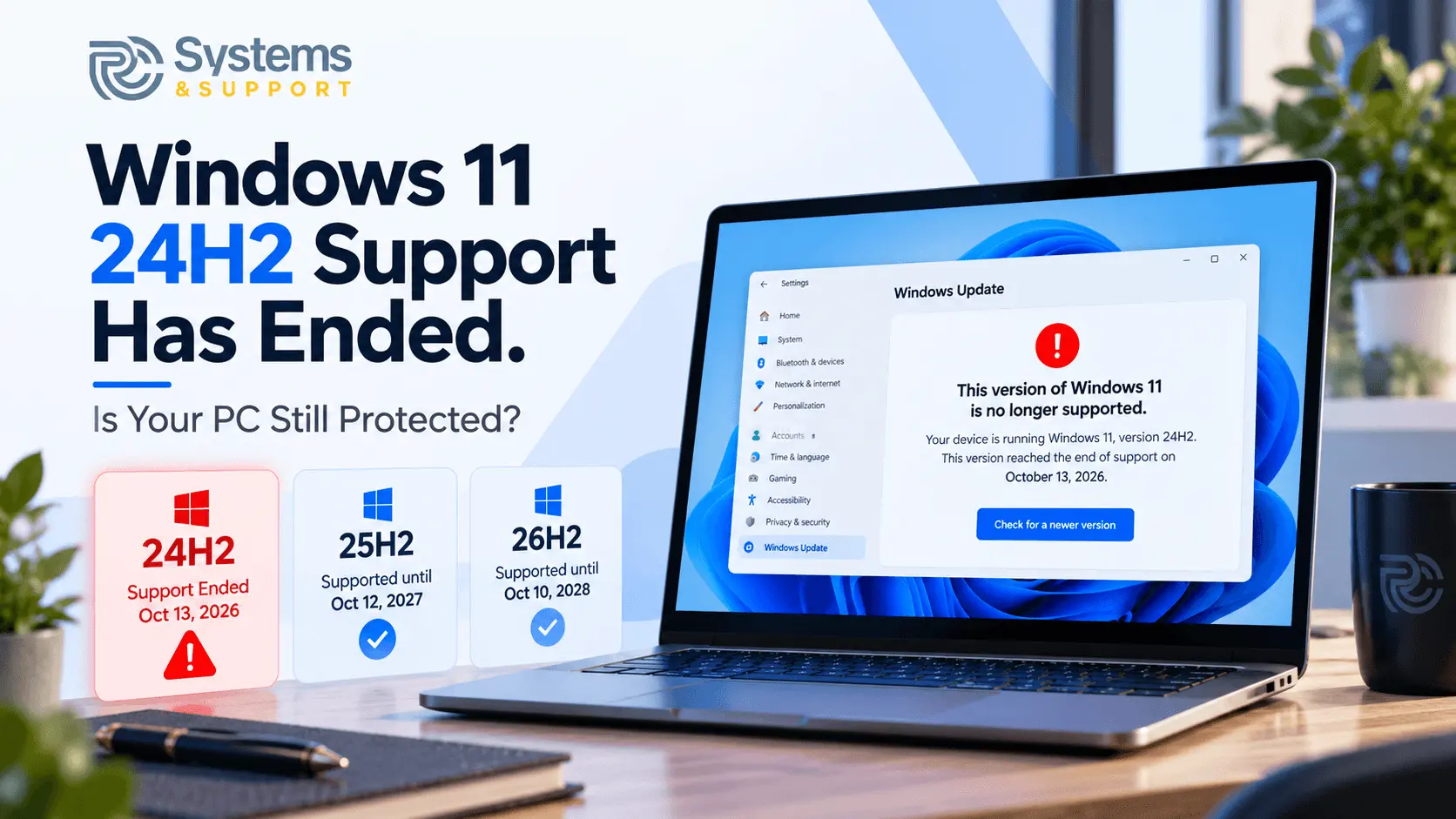
On October 13, 2026, Microsoft officially ended support for Windows 11 version 24H2 Home and Pro editions. The deadline means affected computers will no longer receive regular monthly security patches, even though Windows itself will continue to function.
For individuals and small businesses that depend on their computers every day, this is an important change. Fortunately, checking whether your PC is affected takes less than a minute.
Microsoft confirmed that October 13, 2026, marked the end of updates for Windows 11 version 24H2 Home and Pro editions. Computers remaining on those releases will no longer receive the monthly security and quality updates normally provided through Windows Update.
These updates do more than introduce new features. They address vulnerabilities, resolve software defects, and help maintain compatibility with evolving hardware and applications.
There is one important distinction: Windows 11 itself has not reached the end of support. Microsoft continues to support newer releases, including versions 25H2 and 26H2.
Windows 11 24H2 Enterprise and Education editions also have a different deadline. They remain supported until October 12, 2027, so the October 2026 announcement does not affect every computer running 24H2.
An unsupported version of Windows does not immediately stop working. You can still open applications, browse websites, access documents, and perform everyday tasks.
The difference is what happens when new security vulnerabilities are discovered.
Microsoft regularly identifies and addresses weaknesses that could allow attackers to compromise computers or access information. Once a Windows release reaches the end of updates, newly discovered vulnerabilities may remain unpatched on devices still using that release.
This does not mean every unsupported computer is already compromised. It does mean that continuing to use an outdated operating system creates avoidable security exposure.
For businesses, the consequences can extend beyond a single device. A computer used for customer records, financial transactions, or company email may contain information that needs consistent protection.
Microsoft released Windows 11 version 26H2 on September 29, 2026. It is now the latest general-availability release, while version 25H2 also continues to receive security updates.
The current support deadlines for Windows 11 Home and Pro editions are:
Windows 11 version
Security update support
24H2 - Ended October 13, 2026
25H2 - Until October 12, 2027
26H2 - Until October 10, 2028
These dates illustrate why checking the specific Windows version matters. Two computers can both display Windows 11 while having different security support statuses.
Microsoft recommends that users still running Windows 11 24H2 Home or Pro upgrade to a supported version to continue receiving security and quality updates.
You do not need any additional software to determine whether your computer is affected. Windows includes a built-in tool that displays the installed operating system version.
Follow these steps:
If you see Version 24H2, check whether your computer uses Windows 11 Home, Pro, Enterprise, or Education. You can find the edition under Settings > System > About.
If your computer runs 24H2 Home or Pro, it has passed Microsoft's October 2026 support deadline. If it runs 25H2 or 26H2, that version remains supported, although regular security updates still need to be installed.
For most users, Windows Update is the appropriate place to begin.
Open Settings > Windows Update and select Check for updates. If a supported Windows feature update is available for your computer, Windows will provide an option to download and install it.
Microsoft has confirmed that Windows 11 version 26H2 is available for eligible devices running versions 24H2 and 25H2. However, compatibility restrictions or device-specific problems may still affect individual installations.
Before upgrading, confirm that your important files are backed up and that you have sufficient available storage. If the computer is used for business, it is also worth checking whether essential applications, printers, and connected devices are compatible with the newer release.
Avoid forcing an upgrade when Windows reports a compatibility restriction. Such warnings may indicate a known issue that should be resolved before installation.
Windows updates do not always proceed smoothly. Some computers repeatedly fail during installation, display unexplained error codes, or cannot find an available feature update.
These problems may involve insufficient storage, damaged Windows components, incompatible drivers, or software conflicts. In managed business environments, update policies can also affect when a new release becomes available.
The best solution depends on the cause. Repeatedly restarting the installation or downloading unofficial upgrade utilities can create additional complications without addressing the original problem.
If an update fails, record the error message and check Microsoft's official Windows release health information. This can help determine whether the issue is already known or specific to your computer.
For many people, checking a Windows version is simple. Resolving an unsuccessful upgrade while protecting important files and maintaining access to essential applications can be considerably more complicated.
RC Systems and Support provides on-demand remote IT assistance for Windows computers, including update troubleshooting, software configuration, driver problems, and related technical issues.
Professional assistance can help identify why an update is failing, determine an appropriate next step, and reduce the time spent repeating unsuccessful fixes. For small businesses, addressing these problems efficiently also helps limit interruptions to daily operations.
If your computer is still running an unsupported Windows release, or you are having trouble installing a newer version, you can book a remote support session through the RC Systems and Support website.
Yes. Windows 11 24H2 will continue to operate, but Home and Pro editions no longer receive Microsoft's regular monthly security updates. Moving to a supported version is recommended to reduce exposure to newly discovered vulnerabilities.
Windows 11 version 25H2 remains within Microsoft's support period for Home and Pro editions until October 12, 2027. To maintain protection, users should continue installing available security updates and following appropriate cybersecurity practices.
Not necessarily. Both Windows 11 25H2 and 26H2 remain supported. The appropriate upgrade depends on device eligibility, compatibility, and whether the update is available through Windows Update.
A normal supported feature update is designed to preserve personal files and installed applications, but problems can still occur. Backing up important information before upgrading is a sensible precaution.
Start by reviewing the Windows Update error message, checking available storage, and confirming whether Microsoft has reported a known compatibility issue. If the problem continues, professional troubleshooting can help identify the underlying cause before further installation attempts.
Microsoft's October 2026 deadline is a reminder that operating system support depends on more than the Windows name displayed on your computer.
A device may appear to be functioning normally while running a release that no longer receives essential security fixes. Checking your installed version, keeping important files backed up, and installing supported updates are practical steps toward maintaining a safer and more dependable computer




.avif)
.avif)